

Available on the App Store
mintboxd, for your physical media collection, is out now on iOS.
Get notified when Android lands
The iOS app is out now. Leave your email and we’ll send a single message the day the Android version hits Google Play. Nothing else.
We couldn't save that. Check the address and try again; if you retried a lot, wait a few minutes.
A confirmation link lands in your inbox; you're not on the list until you click it. Leave any time with one click.For physical media collectors
A record of everything on your shelf, down to the pressing.
mintboxd is a free iPhone app that catalogs your physical media collection by barcode, at pressing level. Vinyl, CDs, tapes, Blu-rays, VHS, games, books, figures. Scan the barcode, pick the pressing you own, see your collection on a 3D shelf at real case dimensions. Keep a diary, rate, share with collectors.
- Free, no ads
- iOS 17 or later
- No selling, no payments

Scan, log, shelve
Adding to your collection takes three steps. The catalogue finds the right pressing; you only confirm the one in your hands.
-
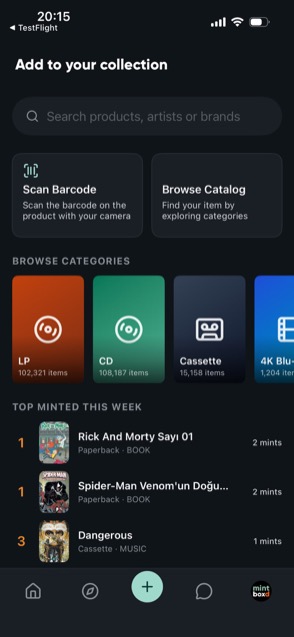
Scan the barcode
Point the camera at the barcode on the back of the case. If the pressing is in the catalogue it shows up in seconds; if not, the product is looked up in open data sources.
-
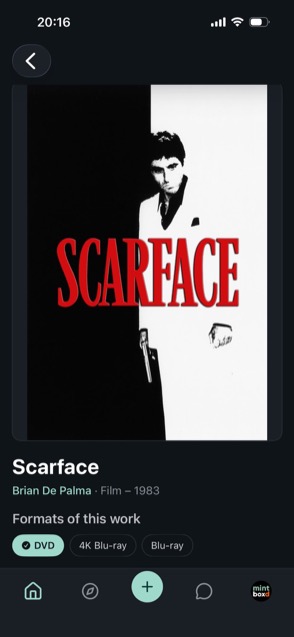
Pick the pressing
A 1973 original and a 2015 reissue are different objects. Pick yours by format, country, year, region code and catalogue number; add condition and how you got it.
-
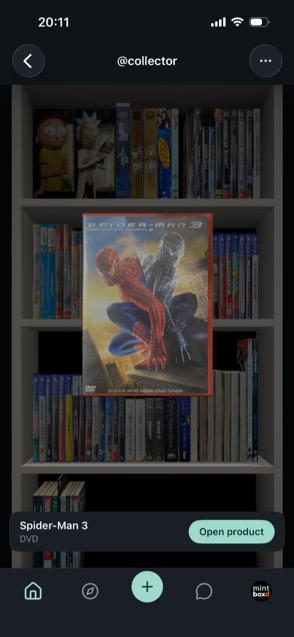
See it on your shelf
The collection is laid out on a three-dimensional shelf at real case dimensions. Measure a case with no template using the camera, photograph its faces, and your own 3D model joins the shelf.
The detail collectors care about
To a collector the pressing in hand matters as much as the work itself. mintboxd puts that distinction at the centre of its data model.
-
Pressing-level records
Format, country, year, region code, edition and catalogue number in separate fields. The vinyl, CD and tape pressings of one work sit under one roof as separate records.
-
Barcode and serial number
Barcode scanning; disc serial numbers for European game releases without one. ISBN for books and comics, Discogs matching for music.
-
3D shelf and case measuring
A shelf laid out at real dimensions. Measure a case the catalogue has no template for with the camera, photograph its faces and build your own model.
-
Condition and provenance
Sealed or opened, how many copies. Purchase, gift and trade are marked separately; add notes, photos and a "tradeable" tag. Any deal happens between users; there is no selling in the app.
-
Diary, ratings, reviews
What you watch or listen to goes into the diary. Rate it, write a review, add tags. Statistics are generated from these entries automatically.
-
Collector feed
New pressings from collectors you follow, a cover-by-cover reels view, likes, comments and direct messages. Profiles can be private.
Inside the app
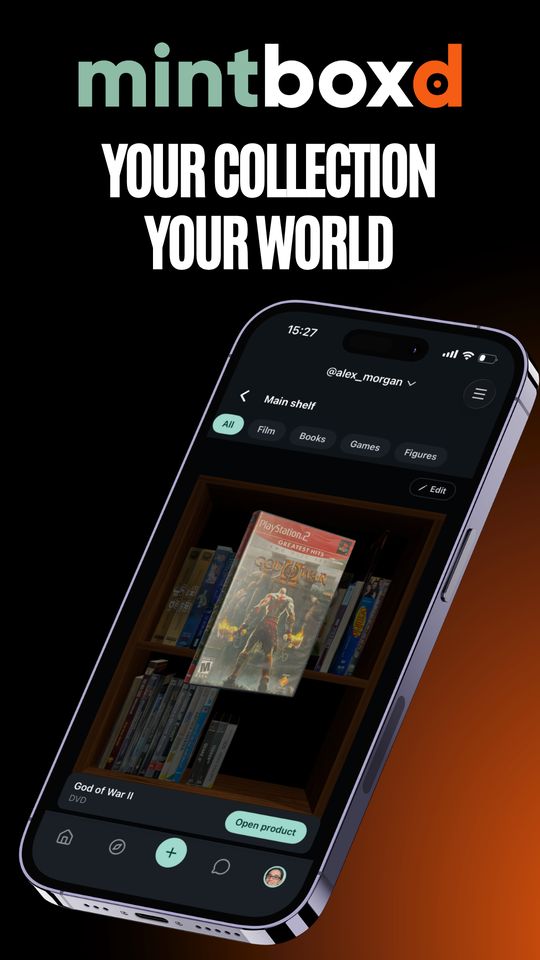
Your collection, your world3D shelf at real case dimensions. 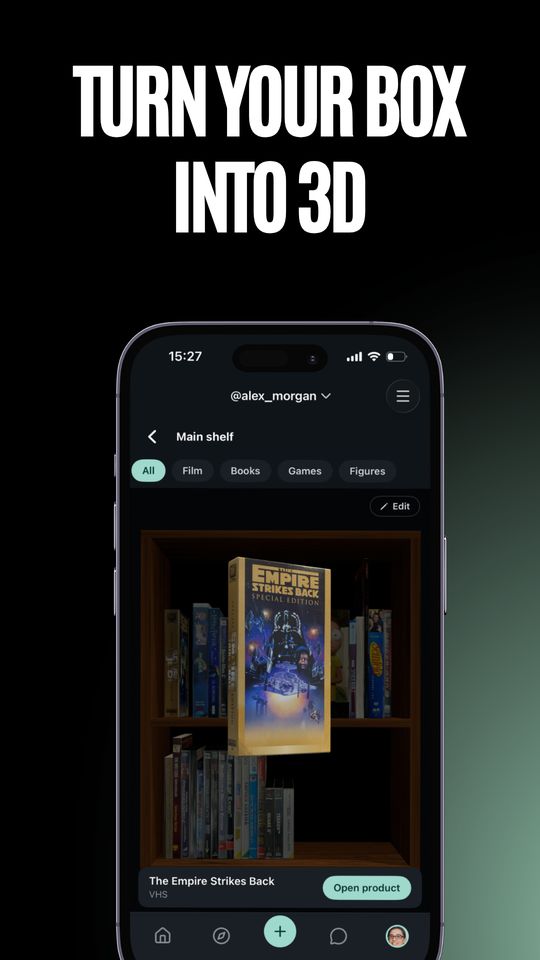
Turn your box into 3DPhotograph the faces, put it on the shelf. 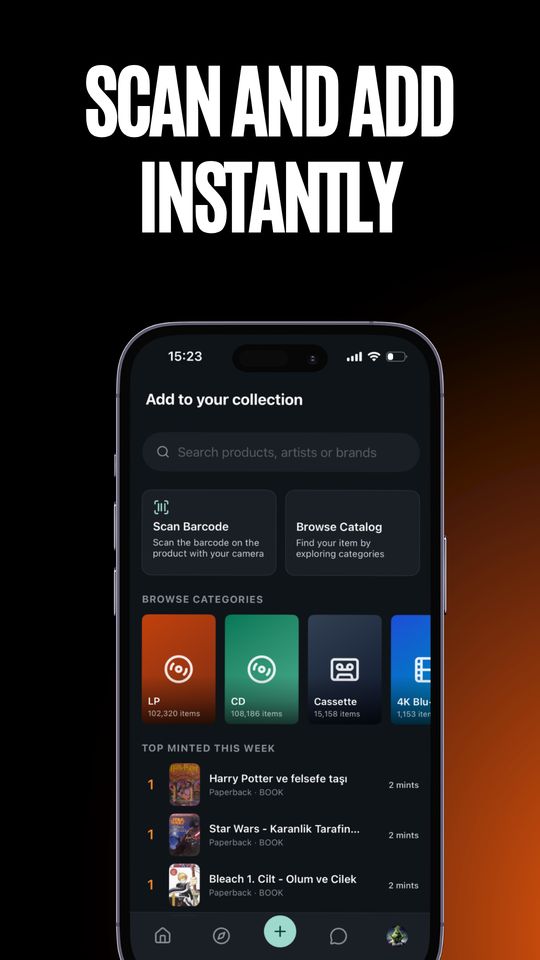
Scan and add instantlyBarcode, search or catalogue. 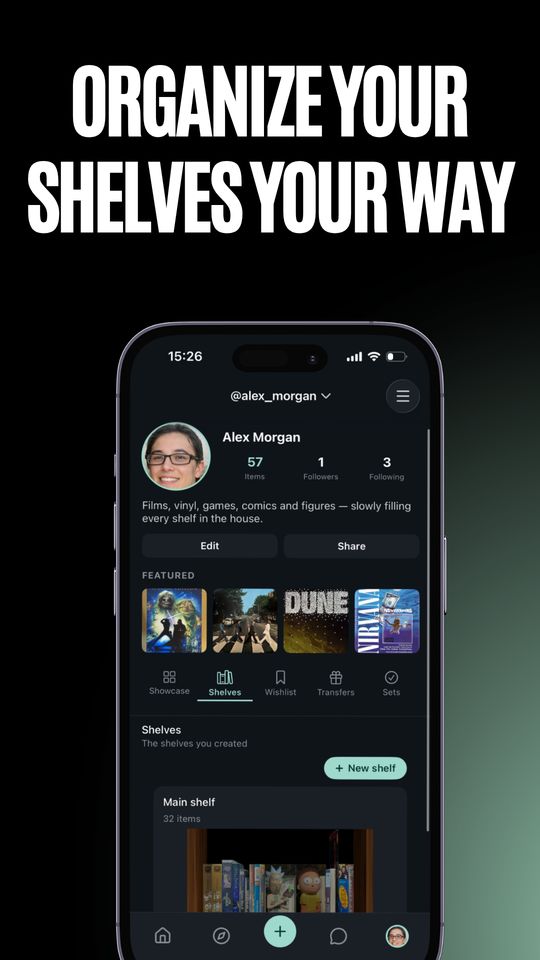
Organize your shelvesShowcase, shelves, wishlist, sets. 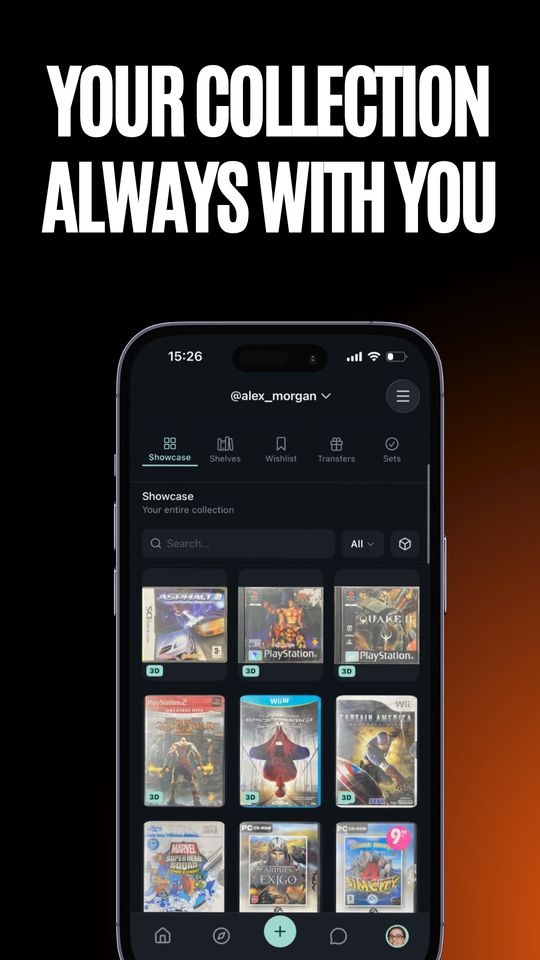
Always with youCover by cover, filterable by category. 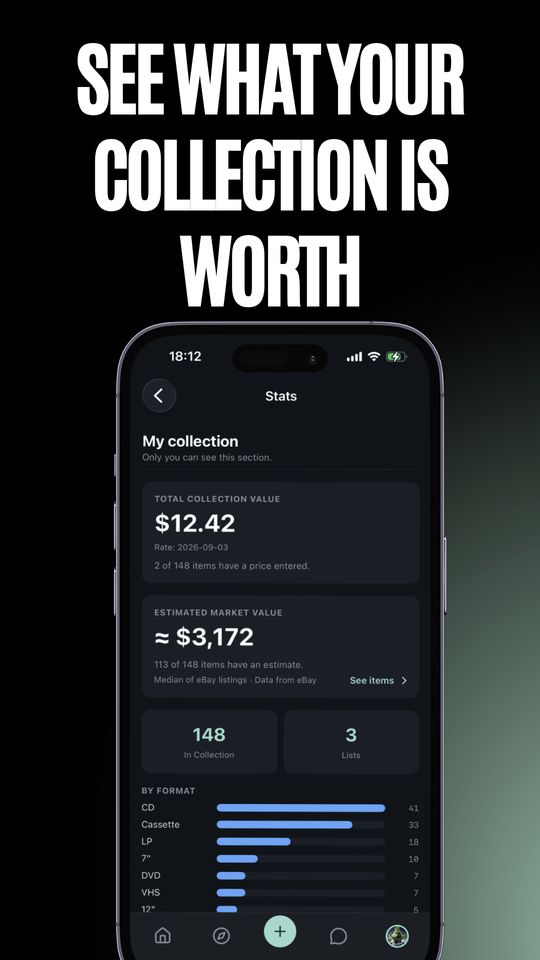
See what it's worthEstimated market value from eBay listings.
Whatever is on the shelf
Music, film, games, books and figures. Each category with its own format and credit fields.
- Vinyl · LP, 12", 10", 7"
- CD · SACD, single
- Cassette
- 4K UHD · Blu-ray · DVD
- VHS · LaserDisc
- Games · PlayStation, Xbox, Nintendo, retro
- Books · comics, manga
- Figures · Funko, diecast
Frequently asked
What is mintboxd?
mintboxd is a free iPhone app that catalogs a physical media collection by scanning barcodes, records each item at pressing level and shows the collection on a 3D shelf at real case dimensions. Vinyl, CDs, cassettes, Blu-ray, DVD, VHS, games, books, comics and figures live in one app. More on the about page.
Is mintboxd free?
Yes. The app is free today and shows no ads. It is not a marketplace either: there is no selling, payment, commission or shipping, so we never ask for card details or an address.
Which devices does it run on?
iPhone and iPad on iOS 17 or later. There is no Android or web version; this site is informational only.
What if the barcode is not in the catalogue?
The app looks the product up in open data sources and offers to add it to the catalogue. You can also search by title and pick the exact pressing. Game discs without a barcode are read by serial number.
What does pressing-level mean?
A 1973 first pressing and a 2015 reissue of the same album are two different objects. mintboxd keeps format, country, year, region code, edition and catalogue number in separate fields, so "I own this album" becomes "I own this pressing of this album".
How does the 3D shelf work?
Every pressing is placed on a three-dimensional shelf at its real case dimensions. A case with no template in the catalogue can be measured with the phone camera, and you can photograph its faces to build your own 3D model.
Does it show what my collection is worth?
Yes. Each item and the whole collection get an estimated market value based on medians of public eBay listings. It is informational only; there is no buying or selling in the app.
Can I buy or sell in the app?
No. mintboxd is not a marketplace; there is no selling, payment, commission or shipping. You can mark an item as tradeable; any deal happens between users, outside the app.
How is it different from Discogs?
Discogs is music only and a marketplace. mintboxd also covers film, games, books and figures, sells nothing and shows the collection on a 3D shelf. It uses Discogs data for music matching. Full table on the comparison page.
Can I track condition and how I got an item?
Yes. Sealed or opened, number of copies, purchase, gift or trade, plus notes and photos.
Can other people see my collection?
That is up to you. A profile can be private; on a private profile the collection, diary and shelf are visible only to followers you approve. Details in the privacy policy.
Where does the data come from?
Credits and cover art are compiled from open sources: Discogs, MusicBrainz and Cover Art Archive, TMDB, MobyGames, IGDB, Google Books, Open Library and eBay. Users can add missing products; additions go through moderation.
How do I delete my account?
In the app go to Settings → Account → Delete account. What deletion covers is in the privacy policy; you can also request it from the support page.
Start logging your collection
mintboxd is an iPhone app (iOS 17 or later). Free, no ads.
Catalogue sources
Credits and cover art are compiled from open data sources. Their terms require attribution, so they are listed below.
- TMDB — film credits and posters. This product uses the TMDB API but is not endorsed or certified by TMDB.
- Discogs — music pressings, labels, catalogue numbers. Data provided by Discogs.
- MusicBrainz / Cover Art Archive — album covers.
- Google Books and Open Library — book and comic ISBN data.
- MobyGames / IGDB — game credits and per-platform covers.
- eBay — toy and figure barcode matching. Product and price data from eBay; mintboxd is not affiliated with eBay.